
Minimalist Digital Wedding RSVP
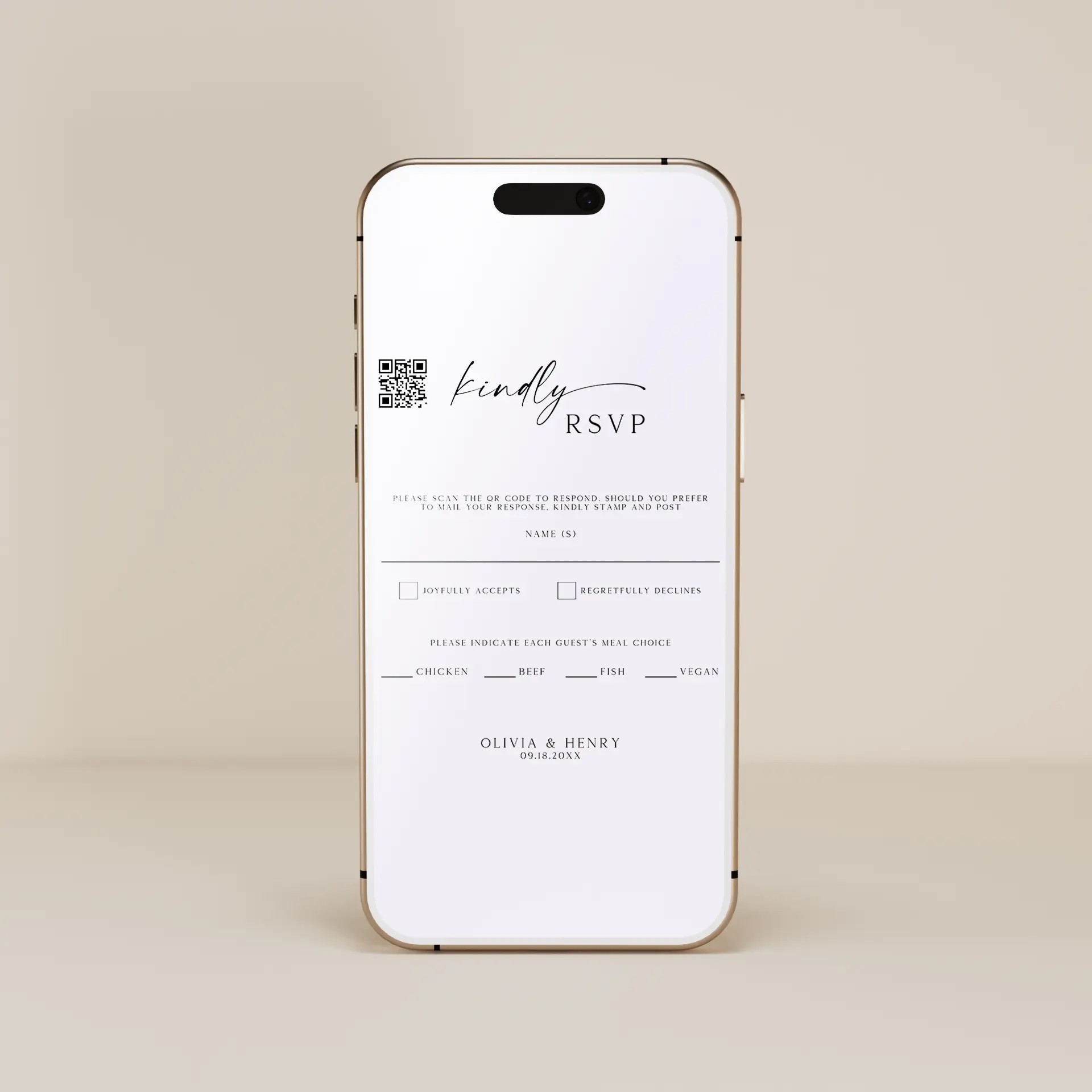
Clean form layouts, restrained palettes, and confident whitespace define our minimalist digital wedding RSVPs - delivering the response collection mechanism with the deliberate simplicity that mobile-first guest interaction rewards. Choose from standalone digital RSVP pages hosted at custom URLs (linked from save the dates, invitations, and reminder texts), embedded RSVP forms designed to integrate as page 4 of multi-page invitation suites, modern modal-style RSVP collection (single-page form with conditional fields revealing only when relevant), animated confirmation designs with subtle submission feedback, dietary preference collection (allergies, vegetarian, vegan, gluten-free, kosher, halal), song request fields with character limits, plus-one acceptance fields, message-to-couple text areas, or simple yes-no minimalist forms for very small weddings. Send instantly via email, text message, shareable link, or QR code. Every template is fully editable in our free browser-based editor with form fields and submission destinations configurable.





About Our Minimalist Digital Wedding RSVPs
Our minimalist digital wedding RSVPs are built around clean form layouts, restrained palettes, confident whitespace, and mobile-first interaction patterns - delivering the guest response collection mechanism with the deliberate simplicity that smartphone-native guests reward with high response rates. Choose from standalone digital RSVP pages hosted at custom URLs (linked from save the dates, invitations, and reminder texts), embedded RSVP forms designed to integrate as page 4 of our multi-page invitation suites, modern modal-style RSVP collection (single-page forms with conditional fields revealing only when relevant - like meal preferences appearing only after the guest selects "accepting"), animated confirmation designs with subtle submission feedback, dietary preference collection covering allergies and lifestyle preferences (vegetarian, vegan, gluten-free, kosher, halal, dairy-free), song request fields with character limits, plus-one acceptance with name fields, message-to-couple text areas, accommodation preference fields for destination weddings, transportation interest (shuttle service yes/no), or simple yes-no minimalist forms for very small intimate weddings where complex RSVP mechanics aren't needed. Every template is fully editable in our free browser-based editor with form fields and submission destinations configurable, and integrates with most wedding website platforms including The Knot, Zola, and Joy.
Standalone Digital RSVP Pages vs Embedded-In-Invitation RSVP Forms
Two valid digital wedding RSVP delivery modes serve different couple workflows. The embedded-in-invitation RSVP form integrates as page 4 of our multi-page digital wedding invitation suite - guests receive the formal invitation, view details and schedule pages, then submit RSVP responses directly within the same invitation suite. This works for couples who treat the wedding invitation as the single complete digital communication and want unified guest experience from invitation receipt through RSVP submission. The standalone digital RSVP page delivers as a separate dedicated URL, linked from the save the date, the wedding invitation, and especially from reminder texts sent 4 to 6 weeks before the wedding. Standalone RSVP pages serve specific use cases: weddings with multiple separate events that need separate RSVPs (welcome dinner RSVP separate from main ceremony RSVP separate from morning-after brunch RSVP), destination weddings where guests need extra time to confirm travel before submitting RSVPs (the standalone page can be sent later than the formal invitation), couples who built wedding website-anchored RSVP infrastructure with The Knot, Zola, or Joy and want all RSVP traffic centralized on the wedding website, or couples managing larger guest lists where dedicated RSVP infrastructure with reminder automation matters more than design unity. For minimalist designs specifically, the standalone format reads particularly cleanly because the page can be designed without competing against the formal invitation visual design - the standalone page is form-first, focused exclusively on the response collection task.
What the Digital RSVP Form Collects Beyond Accepting or Declining
The functional value of the digital RSVP page is collecting guest information that paper RSVP cards cannot easily collect or that requires substantial post-collection consolidation. Beyond the basic accepting/declining response, the digital RSVP form should collect: guest name (with conditional plus-one fields appearing only if the invitation included a plus-one - the conditional field reveal is a digital-specific advantage that paper RSVP cards cannot replicate), dietary preferences with multiple-selection support (allergies and lifestyle preferences in one field - guests can be both vegetarian and gluten-free), song requests with character limits and field validation (character limits prevent inappropriate song titles), accommodation interest for destination weddings (yes/no plus optional preferred hotel selection), transportation interest (yes/no for shuttle service from accommodations to ceremony venue), arrival date and time for destination weddings (helps couples coordinate ground transportation), brief message to the couple (free text field with character limit), and email/phone for follow-up communication if needed. The conditional field reveal is a digital-specific design pattern that minimalist designs particularly benefit from - the form looks clean and uncluttered because fields appear only when relevant. Guests who decline see only the declining confirmation and the message-to-couple field; guests who accept see the dietary, song request, accommodation, and transportation fields appear sequentially after their accept response. This conditional reveal pattern is impossible on paper RSVP cards and represents one of the strongest functional advantages of the digital RSVP format.
Pairs With
Browse all digital wedding RSVPs by aesthetic. For matching minimalist online wedding stationery, see our minimalist digital save the dates, minimalist digital wedding invitations, and minimalist digital thank you cards.
Frequently Asked Questions
Should I use a standalone digital RSVP page or embed the RSVP in my wedding invitation?
The embedded-in-invitation RSVP works for couples who treat the wedding invitation as the single complete digital communication - guests receive the formal invitation, view details and schedule pages, then submit responses directly within the same multi-page suite. Unified guest experience from invitation receipt through RSVP submission. The standalone digital RSVP page works for: weddings with multiple separate events needing separate RSVPs (welcome dinner + ceremony + brunch), destination weddings where guests need extra time to confirm travel before responding (standalone page can be sent later than the formal invitation), couples who built wedding website-anchored RSVP infrastructure with The Knot, Zola, or Joy and want all RSVP traffic centralized on the wedding website, or couples managing larger guest lists where dedicated RSVP infrastructure with reminder automation matters more than design unity. For minimalist designs specifically, the standalone format reads particularly cleanly because the page can be form-first without competing against the invitation visual design. Most couples find the embedded RSVP works for invitations of 50-150 guests with single-event RSVP needs; standalone RSVP works for larger weddings, destination weddings, or multi-event weddings.
What information should my digital wedding RSVP form collect?
Beyond the basic accepting/declining response, collect: guest name with conditional plus-one fields appearing only if the invitation included a plus-one, dietary preferences with multiple-selection support (allergies AND lifestyle preferences - vegetarian, vegan, gluten-free, kosher, halal, dairy-free), song requests with character limits, accommodation interest for destination weddings (yes/no plus optional preferred hotel), transportation interest (shuttle service yes/no), arrival date and time for destination weddings, brief message to the couple (free text with character limit), and email/phone for follow-up communication if needed. The conditional field reveal is a digital-specific advantage paper RSVP cards cannot replicate - the form looks clean and uncluttered because fields appear only when relevant. Guests who decline see only the declining confirmation and message-to-couple field; guests who accept see dietary, song, accommodation, and transportation fields appear sequentially after their accept response. For minimalist designs, the conditional reveal is especially powerful because it maintains visual simplicity at every step of the form interaction.
When should I send digital wedding RSVP links and follow up with non-responders?
Send the initial RSVP request 6 to 8 weeks before the wedding (timed with the wedding invitation if RSVP is embedded, or 1 to 2 weeks after the invitation if RSVP is standalone). Set the RSVP deadline 4 weeks before the wedding (this gives you time to finalize headcount with caterers, venues, and rental companies, who typically need final counts 3 weeks before). Send the first reminder 2 weeks before the RSVP deadline (so guests have 2 weeks to respond before the deadline). Send the final reminder 1 week before the RSVP deadline directly to non-responders (text message reminders typically achieve 80%+ response rates from non-responders compared to 40-50% for email reminders). After the RSVP deadline, contact remaining non-responders directly via phone or text - polite "hey, we want to make sure we have your RSVP for our wedding" outreach typically resolves the final 10-15% of non-responders. The digital format makes all of this much easier than paper RSVP cards because reminders can be automated through wedding website platforms or sent in bulk via text/email.
Should my minimalist digital wedding RSVP match my save the date and full stationery suite?
Yes - matching is essential for visual cohesion across the full wedding stationery suite. The save the date establishes the visual signature, the invitation reinforces it, and the RSVP closes the digital communication loop with the same signature. For minimalist designs specifically, the through-line is one typography family + one or two accent colors used consistently across save the date, invitation, RSVP, accommodations card, schedule, and thank you cards. The minimalist suite cohesion is one of the strongest visual signatures in modern weddings - guests notice and appreciate when each piece feels intentional and coordinated rather than mismatched. Beyond the save the date and invitation match, the full stationery suite includes day-of stationery (place cards, table numbers, menus, welcome sign) and post-wedding thank you cards. The strongest minimalist suites use 1 typography family + 1 or 2 accent colors consistently across every piece. Many couples coordinate from save the date forward, choosing the save the date design first and commissioning matching invitations, RSVPs, day-of pieces, and thank you cards from the same template style or designer. Even though the RSVP is functional rather than purely visual, design cohesion still matters - guests interact with the RSVP for several minutes (longer than they spend reading the formal invitation) and consistent design reinforces the wedding's overall aesthetic at a critical interaction moment.