
Digital Wedding Invitations
There's a reason most wedding invitations now travel through text and email rather than the postal service: mobile wedding invitations land in your guest's phone the same day you design them. Each design is fully editable in our free browser-based editor and downloads as a high-resolution PDF for printing, plus JPEG and PNG image files for digital sharing. Customize names, dates, venue details, and any clickable links to your wedding website, RSVP form, or registry. Share by text message, email, group chat, shareable link, or QR code. No Canva account, no Photoshop, no software to install. Filter by style below to coordinate with the rest of your wedding stationery.



trending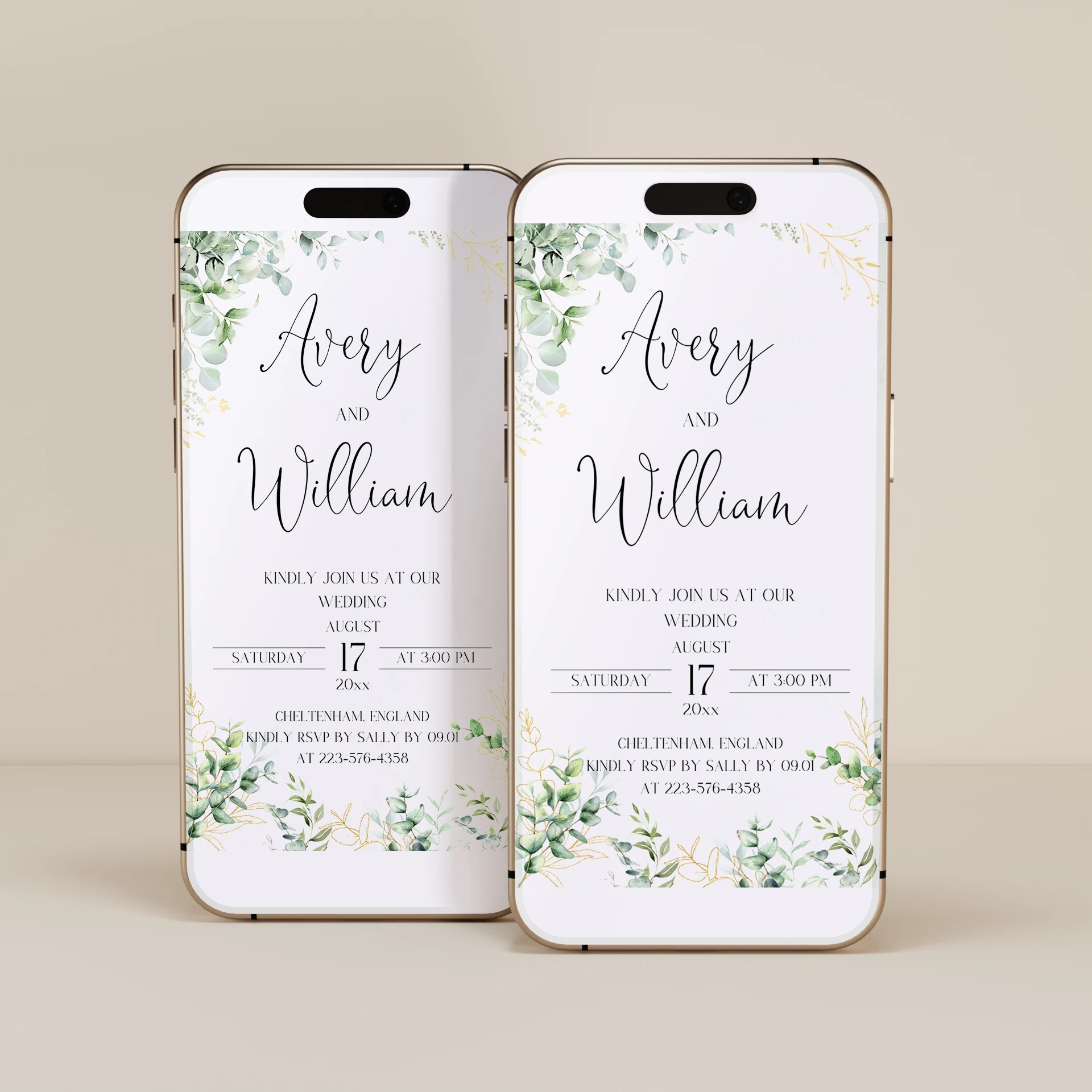
About Our Digital Wedding Invitations
Digital wedding invitations are wedding invitations designed for digital sharing rather than printing and mailing. Our digital wedding invitation templates are fully editable in our free browser-based editor. No Canva account, no Photoshop, no software to install. Customize the design, add your names, the wedding date, the venue details, and clickable links to your wedding website or RSVP form. Each template downloads as a high-resolution PDF (for couples who want to also print a small batch) plus JPEG and PNG image files optimized for digital sharing. Whether you are looking for digital wedding invitations to text to your group chat, an editable digital wedding invitation template that downloads as a PDF, custom digital wedding invitations with your own monogram or photo, or an email wedding invitation you can send to your full guest list at once, every template here is built to be customized in your browser and shared digitally in 10 to 15 minutes from purchase to sent.
Browse Digital Wedding Invitations by Style
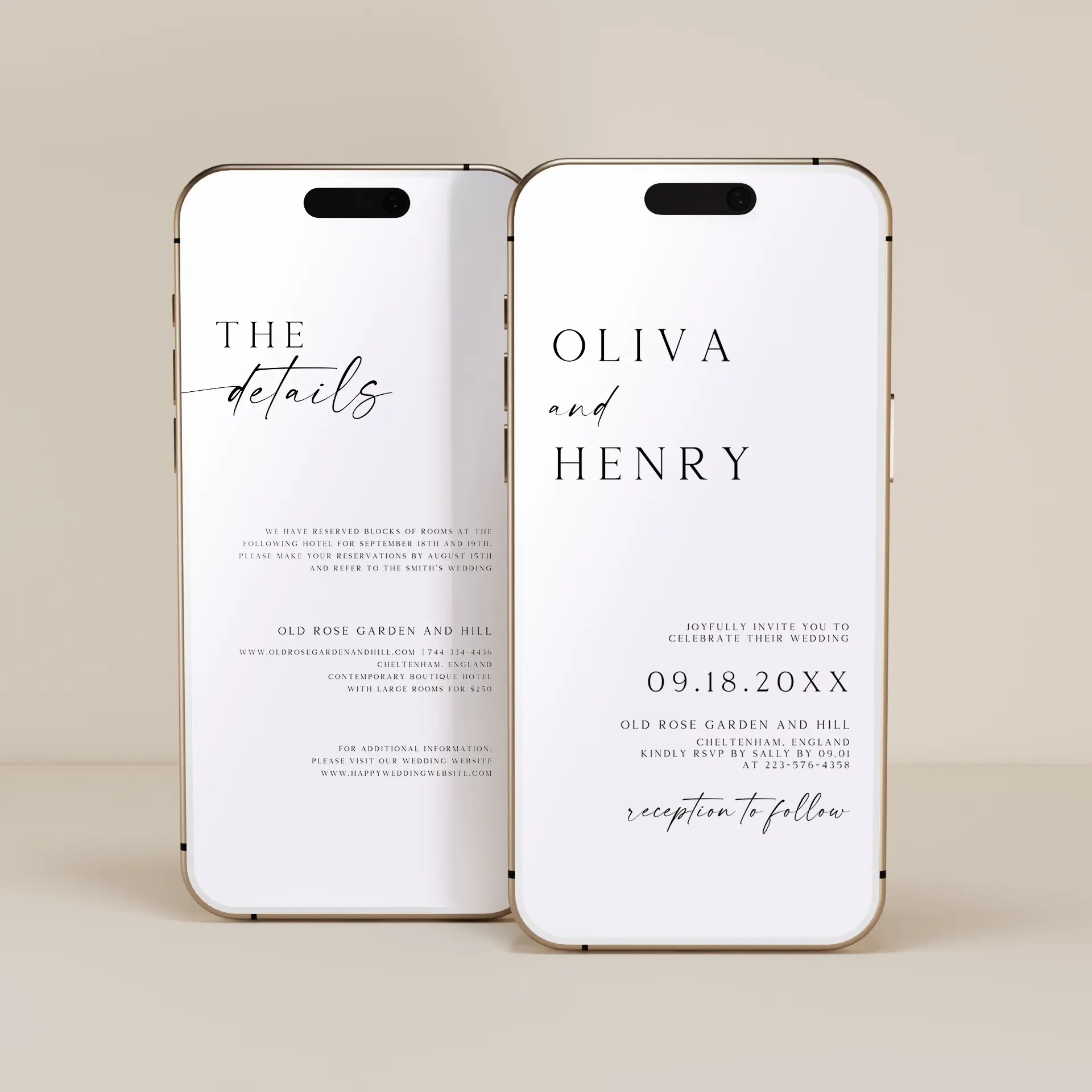
Minimalist Digital Wedding Invitations
Clean lines, modern serif typography, and generous white space. For couples whose wedding aesthetic leans contemporary.
Floral Digital Wedding Invitations
Watercolor florals and soft botanicals. Pairs with garden weddings, vineyard receptions, and floral wedding themes.
Boho Digital Wedding Invitations
Earthy textures, terracotta tones, and hand-drawn details. Great for outdoor and desert weddings.
Classic Digital Wedding Invitations
Formal typography and traditional layouts. For couples who want digital convenience without giving up the formal aesthetic.
Rustic Digital Wedding Invitations
Warm wood tones and hand-lettered scripts. Perfect for barn weddings and farmhouse-themed celebrations.
File Formats Included With Every Template
Every digital wedding invitation template in this collection downloads as multiple file formats so you can share by any method. Pick the format that fits how you want to send the invitation:
High-resolution PDF (300 DPI). Print-ready for couples who want to print a small batch (for grandparents, the wedding album, or guests who prefer paper). Also opens cleanly when shared as an email attachment or via a messaging app.
JPEG image. The most universal format for digital sharing. Works on iMessage, WhatsApp, Facebook Messenger, Instagram DMs, email, and every other messaging platform. Smaller file size than PDF for fast loading.
PNG image. Higher quality than JPEG, with support for transparent backgrounds if you want to overlay the invitation on a custom background image. Best for couples who plan to share the invitation on social media or via Instagram Stories.
Optional: animated GIF. Some templates also support an animated version where florals bloom, type animates in, or backgrounds shimmer. Shared as an animated GIF or short MP4 video for a more visually impressive send.
All file formats download in a single ZIP file after purchase. No subscription, no per-guest fees, unlimited sharing.
How to Share Your Digital Wedding Invitation
The five most common digital sharing methods, in order of how guests actually open and respond to them:
Text message (iMessage or SMS). Highest open rate. Send the JPEG to each guest's phone number directly, or send to a group chat for tighter friend groups. Add a short personal note above the invitation image.
Group chat (iMessage group, WhatsApp group, Facebook Messenger group). Best for the bridal party, immediate family, or close friend groups that already share a chat.
Email. Best for guests who prefer email over text, especially older relatives. Send the PDF as an attachment with the JPEG embedded inline so it displays in the email body.
Shareable link or QR code. Upload the JPEG or PDF to a free service (Imgur, Google Drive, Dropbox) and share the link. Or generate a QR code that guests scan to view the invitation. Useful for the wedding website or for printing on a save-the-date as a backup link.
Social media direct message (Instagram, Facebook). Casual but works for couples whose primary communication with friends is on social platforms.
Why Use Our Editor Instead of Canva?
Many couples start by Googling "Canva wedding invitations" and trying to design their own from a generic Canva template. Canva works, but it has friction:
Canva requires a free account (and pushes you toward a paid Pro subscription for premium templates and elements).
Canva templates are generic-purpose, not wedding-specific. You spend time hunting for templates that match your wedding aesthetic and removing non-wedding elements.
Canva does not include print-ready PDF settings by default. You have to manually configure the export resolution, bleed, and color profile.
Canva charges per-element fees for premium graphics, fonts, and stock photos that may already be in the template.
Our editor is purpose-built for wedding invitations. No account needed, no template hunting, every template is wedding-specific and customizable in your browser, and every download includes print-ready PDF, JPEG, and PNG files automatically. Designed for couples who want a polished result in 10 to 15 minutes without becoming a Canva expert.
How to Customize Your Digital Wedding Invitation
Pick a template that matches your wedding aesthetic. Filter by style above (Minimalist, Floral, Boho, Classic, or Rustic).
Open the template in our free browser-based editor (no account required).
Edit the names, wedding date, venue name and address, dress code, and RSVP information. Add clickable links to your wedding website or RSVP form if your design supports them.
Pull color codes from your wedding aesthetic and apply them to the design. Match fonts, accent colors, and any decorative elements to your wedding palette.
Preview the design at multiple zoom levels to confirm everything reads cleanly on a phone screen (most guests will view the invitation on their phone, not a desktop).
Download the file pack (PDF, JPEG, PNG) and send by your preferred method: text, email, group chat, link, or QR code.
Pairs With
To learn more about when digital invitations make sense and how they compare to printed invitations, see our Online Wedding Invitations parent category for the full overview. If you want printed wedding invitations alongside or instead of digital, browse our printed wedding invitations and wedding invitation suites. For day-of stationery, see our Ceremony & Reception Essentials collection.
Frequently Asked Questions
What file formats do digital wedding invitation templates download as?
Every digital wedding invitation template in this collection downloads as multiple file formats in a single ZIP file: a high-resolution PDF (300 DPI, print-ready), a JPEG image (universal for digital sharing on iMessage, WhatsApp, email, and social media), and a PNG image (higher quality than JPEG with optional transparent background support). Some templates also include an animated GIF or short MP4 version. All formats are included with every template at no additional cost.
Can I print my digital wedding invitation if I want a paper copy?
Yes. Every digital invitation template downloads with a high-resolution print-ready PDF (300 DPI) alongside the digital sharing files. Print at home on standard 100lb to 110lb cardstock, or send the PDF to a local print shop or online printer. Many couples send digitally to most of the guest list and also print a small batch (10 to 30 copies) for grandparents, the wedding album, and guests who prefer paper.
How do I send a digital wedding invitation by text message?
Save the JPEG image from the template download to your phone (the easiest way is to AirDrop or email it to yourself). Open your text messaging app, attach the image, add a short personal note ("You're invited to our wedding! Details below"), and send to each guest's phone number directly or to a group chat. The image displays inline in the message thread on every modern smartphone (iMessage, Android, WhatsApp). For RSVP responses, include a link to your wedding website RSVP form in the message.
Are digital wedding invitations less formal than printed invitations?
Digital invitations signal a more relaxed, modern tone than printed invitations, but they are not inherently less formal. The level of formality is set by the design, the wording, and the level of detail. A classic typography-only digital invitation with a formal RSVP request reads as formal. A photo-heavy digital invitation with casual wording reads as relaxed. Many formal weddings now use a hybrid approach: printed invitations for the wedding party and immediate family (preserving the formality and the keepsake), digital invitations for friends and broader guest list (saving cost and time).
What is the difference between digital wedding invitations and Canva wedding invitations?
Canva is a general-purpose graphic design tool with thousands of generic templates, including some wedding invitations. Canva requires creating an account, choosing a generic template, manually customizing it for your wedding, and configuring export settings to get a print-ready file. Our digital wedding invitation templates are purpose-built for weddings, do not require an account, are wedding-specific by default (no generic elements to remove), and download automatically with print-ready PDF, JPEG, and PNG files. The result is a polished invitation in 10 to 15 minutes versus 1 to 2 hours of Canva customization.
Can guests RSVP to a digital wedding invitation?
Yes. The most common method is to include a clickable link in the invitation that takes guests to an RSVP form on your wedding website. For weddings without a website, guests can RSVP via text or email reply directly to the host (works for guest lists under 30). For larger guest lists, third-party RSVP tools like Google Forms, RSVPify, or Zola let you collect responses, meal selections, and song requests in a single dashboard. Include the RSVP method clearly on the invitation so guests know how to respond.