
Floral Digital Save the Dates
Lush watercolor florals, hand-painted botanicals, and natural greenery define our floral digital save the dates - announcing your wedding date with the romantic warmth that watercolor renders especially well on phone screens. Choose from peony-led romantic saves with watercolor floral wreaths around your engagement photo, eucalyptus and sage greenery saves with delicate garlands framing the typography, animated saves with petals drifting subtly across the design, wildflower-bordered designs in mixed seasonal palettes, dusty rose and blush color stories, or modern botanical saves with refined typography and corner watercolor sprigs. Send instantly via email, text message, or shareable link - no postage, no waiting, easy to update if details change. Every template is fully editable in our free browser-based editor and downloads as JPEG, PNG, or animated GIF for digital distribution. Pair with your wedding website for built-in RSVP tracking.
trending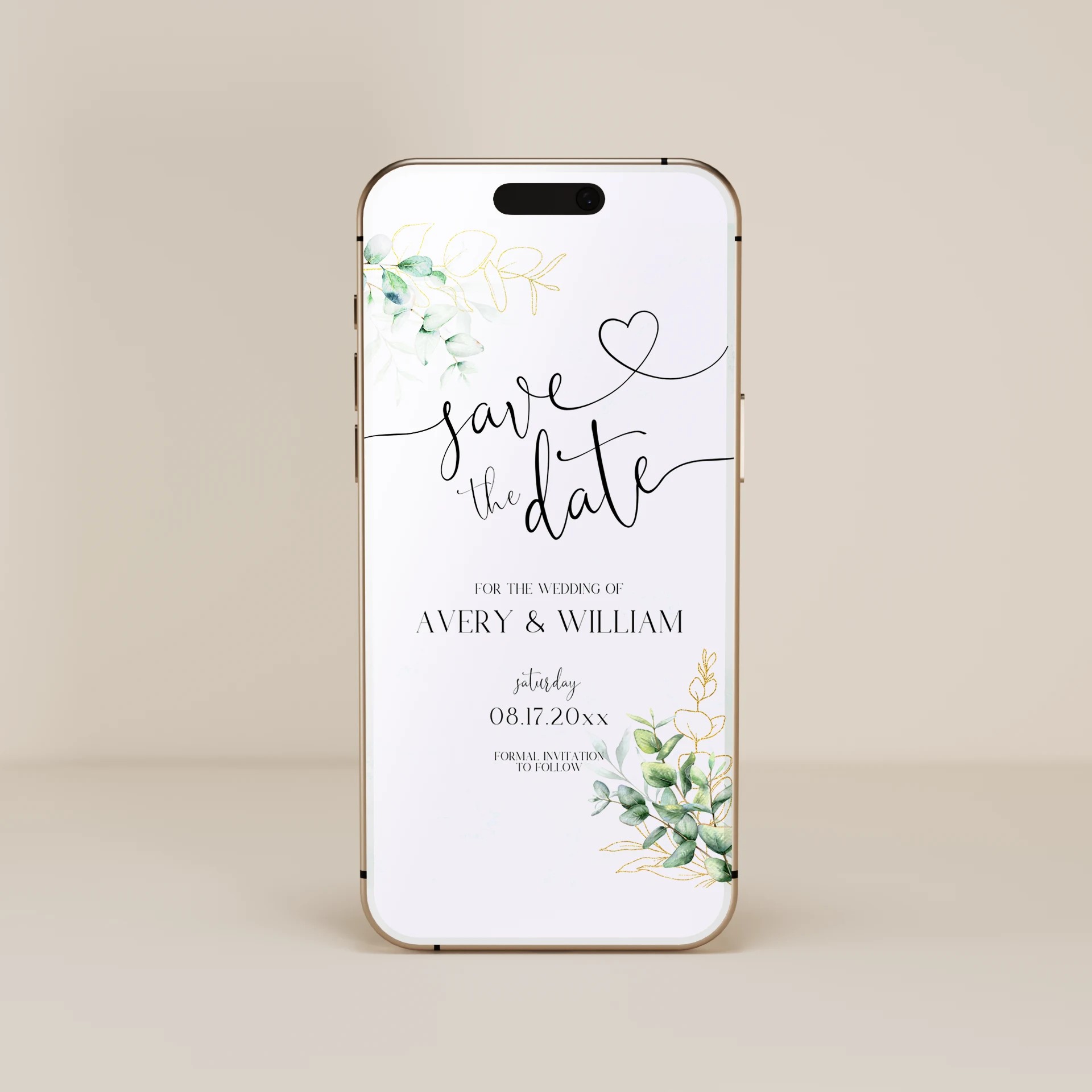
About Our Floral Digital Save the Dates
Our floral digital save the dates feature lush watercolor florals, hand-painted botanicals, and natural greenery in romantic palettes - announcing your wedding date with the warm romance that watercolor renders especially well on phone screens. Choose from peony-led saves with watercolor floral wreaths around your engagement photo, eucalyptus and sage greenery saves with delicate garlands framing the typography, animated saves with petals drifting subtly across the design or watercolor color-bleed effects, wildflower-bordered designs in mixed seasonal palettes, dusty rose and blush color stories for soft palette weddings, modern botanical saves with refined typography and corner watercolor sprigs, or large-bloom anchor designs with a single peony or magnolia centering the layout. Whether you are sending via email, text message, shareable link, or wedding website embed, every template is fully editable in our free browser-based editor and downloads as JPEG, PNG, or animated GIF. Pair with your wedding website for built-in RSVP tracking and seamless guest communication.
Watercolor Is the Iconic Floral Digital Aesthetic
Watercolor is the strongest aesthetic signal for floral digital save the dates - the watercolor search cluster on this page (~310/mo combined across watercolor save the date 210/mo singular + watercolor save the dates 100/mo plural) is meaningfully bigger than the direct floral cluster (~180/mo). Watercolor reads particularly well in the digital format because the soft edges, color bleeds, and translucent layering render beautifully on phone screens where high-contrast crisp graphics often look harsh. Three watercolor approaches that work especially well for digital save the dates: full watercolor floral wreath framing around an engagement photo (the most romantic approach - peonies, garden roses, mixed seasonal florals form a complete circle around the photo and typography), watercolor garland or cascade running across the top or down one side of the design (more modern approach - eucalyptus and greenery work especially well in this composition because the loose watercolor renders the natural drape of greenery accurately), or a single watercolor bloom anchor in one corner with delicate trailing florals extending across the design (asymmetric approach - peonies, hydrangeas, magnolias work as anchor flowers). The watercolor aesthetic also supports animation particularly well: subtle color-bleed motion (watercolor pigments expanding outward like bloom on wet paper), petal drift (loose petals moving slowly across the design), or sequential bloom appearance (flowers blooming one at a time over 3 to 4 seconds). Animation reads as deliberately romantic in a way crisp graphic motion does not.
Engagement Photo + Watercolor Floral Framing Is the Strongest Floral Digital Approach
Where the strongest minimalist digital save the date is typography-only (no imagery), the strongest floral digital save the date is an engagement photo framed with watercolor florals. This convention works for floral weddings specifically because: most floral couples have engagement photos that fit the romantic aesthetic (typically taken in gardens, vineyards, or natural settings that align with the floral wedding's visual world), the watercolor framing connects the photo aesthetically to the wedding's overall floral palette (peonies and eucalyptus on the save the date signals peonies and eucalyptus on the wedding), and the engagement photo introduces the couple visually to guests they may not see often (extended family, work colleagues, friends across the country). Composition guidance: position the engagement photo as the design anchor with watercolor florals framing approximately 30 to 50 percent of the photo's perimeter (full wreath looks crowded; partial framing reads as deliberate), include names and date below the photo, optional city or venue name below the date, and optional wedding website URL at the bottom. For couples who don't have engagement photos, the typography-only approach with watercolor floral framing also works (engagement-photo composition replaced with names + date in serif typography, watercolor florals framing the typography instead of the photo). Either approach maintains the floral aesthetic; the photo version reads as more personal.
Pairs With
Browse all digital save the dates by aesthetic. For matching floral online wedding stationery, see our floral digital wedding invitations, floral digital wedding RSVP, and floral digital thank you cards.
Frequently Asked Questions
Should I include an engagement photo on my floral digital save the date?
For floral weddings specifically, the engagement photo + watercolor floral framing combination is the strongest digital save the date approach - more impactful than the typography-only approach that works best for minimalist couples. The reasoning: most floral couples have engagement photos that fit the romantic aesthetic (taken in gardens, vineyards, or natural settings that align with the floral wedding's visual world), the watercolor framing connects the photo to the wedding's overall floral palette, and the engagement photo introduces the couple visually to guests they may not see often. Composition guidance: position the engagement photo as the design anchor with watercolor florals framing approximately 30 to 50 percent of the photo's perimeter (full wreath looks crowded; partial framing reads as deliberate), include names and date below the photo, optional city/venue and wedding website URL at the bottom. If you don't have engagement photos, the typography-only approach with watercolor floral framing still works - replace the photo with serif typography, frame the typography with watercolor florals. Either approach maintains the floral aesthetic; the photo version reads as more personal.
Should I use animated GIF or static for my floral digital save the date?
Animation suits floral designs particularly well because the watercolor aesthetic supports motion that reads as deliberately romantic. Three animation approaches work especially well for floral saves: subtle color-bleed motion (watercolor pigments expanding outward like bloom on wet paper - 3 to 4 seconds, loops), petal drift (loose petals moving slowly across the design - 4 to 5 seconds, loops), or sequential bloom appearance (flowers opening one at a time, then names appearing, then date - 5 to 6 seconds, loops smoothly). Animation considerations: animated GIFs render most reliably via shareable link or email; text messages may compress GIFs and strip animation; some email clients display only the first frame, so design the first frame as a complete static save the date. For floral specifically, the animation reads as romantic and seasonal in a way crisp graphic motion does not - if you have the option to animate, the floral aesthetic benefits from it more than minimalist or classic styles do. For couples who want maximum compatibility across all distribution channels, static designs work cleanly; for couples who want the strongest romantic impact, animation is worth the slight compatibility tradeoff.
What flowers should I feature on my floral digital save the date?
Coordinate the flowers on your save the date with the flowers planned for your wedding - particularly the ceremony arch, bouquet, and centerpieces. The save the date sets the visual expectation for the wedding's floral aesthetic and seasonal character. Common floral signatures and what they signal: peonies (spring/early-summer weddings, romantic-classic aesthetic, soft-pink to white palette), garden roses (year-round but particularly summer, romantic-traditional aesthetic, blush to deep-burgundy palette), eucalyptus and sage (year-round, modern-romantic aesthetic, sage-green and cream palette - particularly fitting for outdoor or vineyard weddings), wildflowers (summer/early-autumn, casual-romantic aesthetic, mixed warm palette - fitting for garden or country weddings), dahlias (autumn weddings, romantic-rich aesthetic, deep palette in burgundy/orange/rust), anemones (winter or moody weddings, romantic-modern aesthetic, white-and-black palette). If you haven't finalized your wedding floral palette yet, choose flowers that fit the season of your wedding date - the save the date can use seasonal florals even before you've locked in specific bouquet flowers, and the seasonal signal is what most guests register from the design.
Should my floral digital save the date match my floral wedding invitations and other stationery?
Yes - matching is essential for visual cohesion across the full wedding stationery suite. The save the date is the FIRST piece guests see (often months before the invitation), and it sets the visual expectations for the rest of the wedding's stationery. If your save the date features watercolor peonies and dusty rose, your wedding invitation should use the same peonies and the same dusty rose, your RSVP card should match, your day-of stationery (place cards, menus, table numbers, welcome sign) should all coordinate. The strongest floral wedding stationery suites use 1 to 3 specific flower types consistently across every piece - one anchor flower (peonies, garden roses, or anemones) plus 1 to 2 supporting elements (eucalyptus, wildflowers, baby's breath). This through-line from save the date through invitation through RSVP through day-of stationery creates one of the strongest visual signatures in floral weddings. Many couples coordinate their stationery suite from save the date forward - choosing the save the date design first (since it's sent first), then commissioning matching invitations, RSVPs, and day-of pieces from the same template style or designer.